
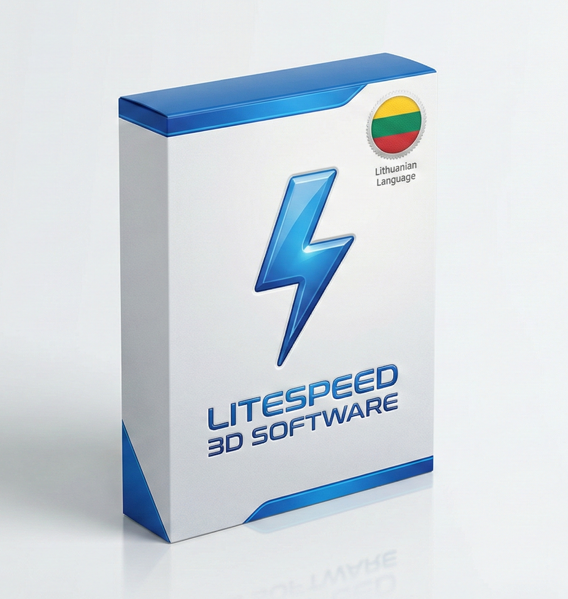
LiteSpeed Cache in Lithuanian – Manage Server-Level Performance Without a Language Barrier
With 7M+ active installs and a 4.8/5 rating, LiteSpeed Cache is the most installed WordPress performance plugin in the world. This translation puts all 200+ technical settings into Lithuanian – so your team configures caching precisely, without guesswork.
Site owners and administrators
- All settings readable in your native language
- Lower risk of misconfiguration
- Hired staff work independently
- No need to consult a developer for routine tasks
Web developers and agencies
- Clients manage their own cache after handover
- Fewer support calls about settings
- Raises the quality of your deliverable
- One purchase – unlimited client projects
LiteSpeed hosting users
- Fully utilise your server’s capabilities
- All settings clear without a translator
- Technical issues resolved faster
- Reduces optimisation errors
💡 Real scenario: A client takes over a site with LiteSpeed Cache. An English dashboard with 200+ settings – they don’t touch anything out of fear of breaking something. With the Lithuanian translation, they clear cache themselves, manage optimisation levels, and update settings independently. You receive fewer support calls.
LiteSpeed Cache is not a simple plugin with a few toggles. It is a server-level optimisation system with cache rules, ESI blocks, Critical CSS generation, image processing via QUIC.cloud, and database tools. Technical terms in English – “Purge All”, “Object Cache TTL”, “Vary Cookie”, “ESI” – are opaque even to experienced users. A misconfigured setting can slow a site or break the cache entirely.
Server-level cache
The only free plugin with true server-level caching. PHP is bypassed entirely before serving a page – delivering TTFB under 150ms.
Image optimisation
Automatic WebP conversion, lazy loading and size optimisation via QUIC.cloud – without quality loss.
CSS/JS minification
HTML, CSS and JavaScript minification, combining and deferred loading for a better PageSpeed score.
Database tools
Automatic cleanup of revisions, transients and temporary data – site runs faster without manual maintenance.
| File | Purpose | Included |
|---|---|---|
| .PO file | Editable source – 1,400+ strings | ✅ |
| .MO file | Compiled binary for WordPress 6.4 and older | ✅ |
| .l10n PHP file | Performance format for WordPress 6.5+ – faster loading | ✅ |
| ZIP archive | Everything ready for direct deployment | ✅ |
| PDF installation guide | Step-by-step with screenshots | ✅ |
📊 Technical package details
✅ Technical accuracy – not dictionary translation
LiteSpeed terms carry specific meaning in server architecture. “Object Cache” and “Purge by URL” are translated with understanding of what they do – not word-for-word.
✅ Three-format package
Most translations provide only .PO and .MO. This package adds the .l10n PHP performance file – WordPress 6.5+ loads it faster, reducing server load on every request.
✅ 100% coverage – all sections
Cache management, page optimisation, image processing, CDN settings, database tools, ESI, reports – the entire LiteSpeed panel in Lithuanian. No English fragments left.
✅ Safe through every update
Files stored in the WordPress system languages folder – separate from the plugin. Updating LiteSpeed Cache never touches your translation.
Pay securely
Stripe or PayPal. Download link sent instantly after payment.
Download the package
ZIP with .PO, .MO and .l10n files + PDF guide.
Upload via FTP
Place files in /wp-content/languages/plugins/
Done
Purge cache, refresh – the entire LiteSpeed admin panel is in Lithuanian.
- 1,400+ string hand translation (.PO file)
- Compiled .MO binary file (WordPress 6.4 and older)
- .l10n PHP performance file (WordPress 6.5+)
- ZIP archive ready for direct deployment
- PDF installation guide with screenshots
- Compatible with all current LiteSpeed Cache versions
- Technical support within 24 hours
- 30-day money-back guarantee
- Unlimited sites, unlimited usage
What exactly do I get with this package?
What does this translation actually cover?
Does LiteSpeed Cache work without a LiteSpeed server?
What is the .l10n file and why is it better than .MO?
Will the translation disappear after a LiteSpeed Cache update?
/wp-content/languages/plugins/ – entirely separate from the plugin directory. Updating LiteSpeed Cache only changes files in /wp-content/plugins/litespeed-cache/. Your translation is never affected.How long does installation take and do I need a developer?
/wp-content/languages/plugins/, purge the LiteSpeed Cache (LiteSpeed → Cache → Purge All), and refresh. No developer required – a guide with screenshots is included.